
HelpInfo requests, tasks and more
Question
What if a vendor isn't on Genevi?
You can still message them in Genevi. They get each message by email, and when they reply to the email, their reply lands in the conversation for everyone to see. They never need to sign up.
Without Genevi
With Genevi
Half the vendors on email, half in a group chat
One conversation, whether they use Genevi or not
Copying replies from your inbox to everyone else
Their email replies land in the chat for everyone
Chasing who saw which update
Everyone in the conversation sees the same messages
How it works
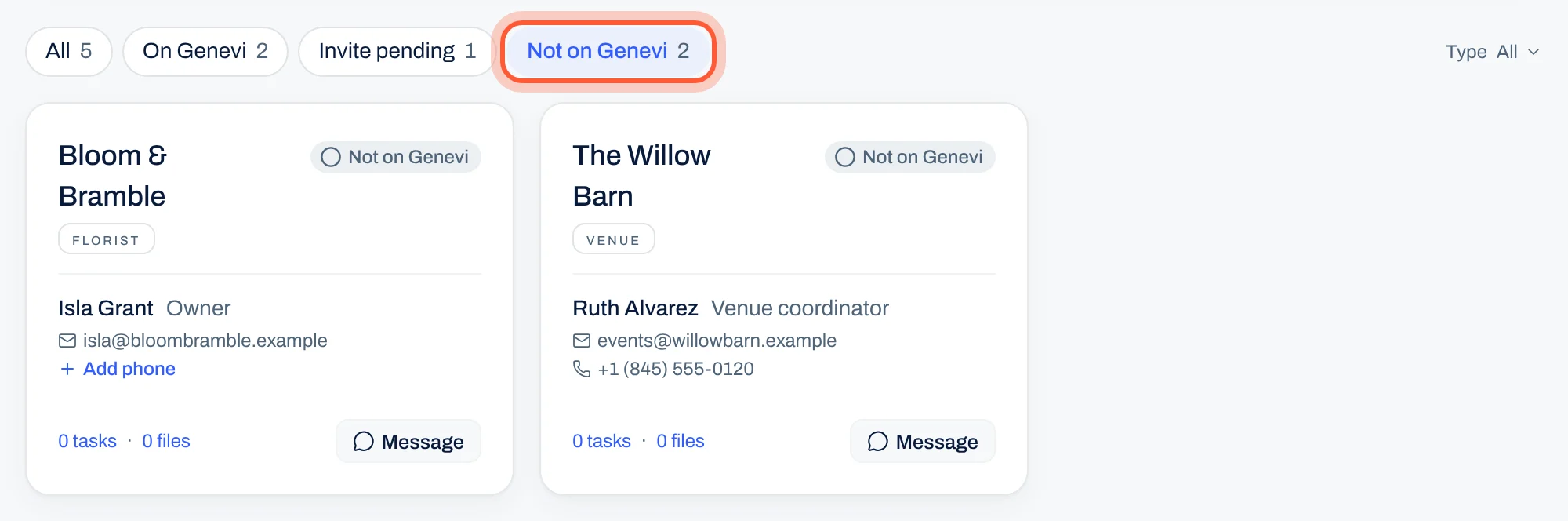
- 1Add them on the Vendors page with their email address. Their card says Not on Genevi, or Invite pending if you've invited them and they haven't joined yet.
- 2Message them as usual. Choose Message on their card, or write in a conversation they're in, such as one sent to All vendors.
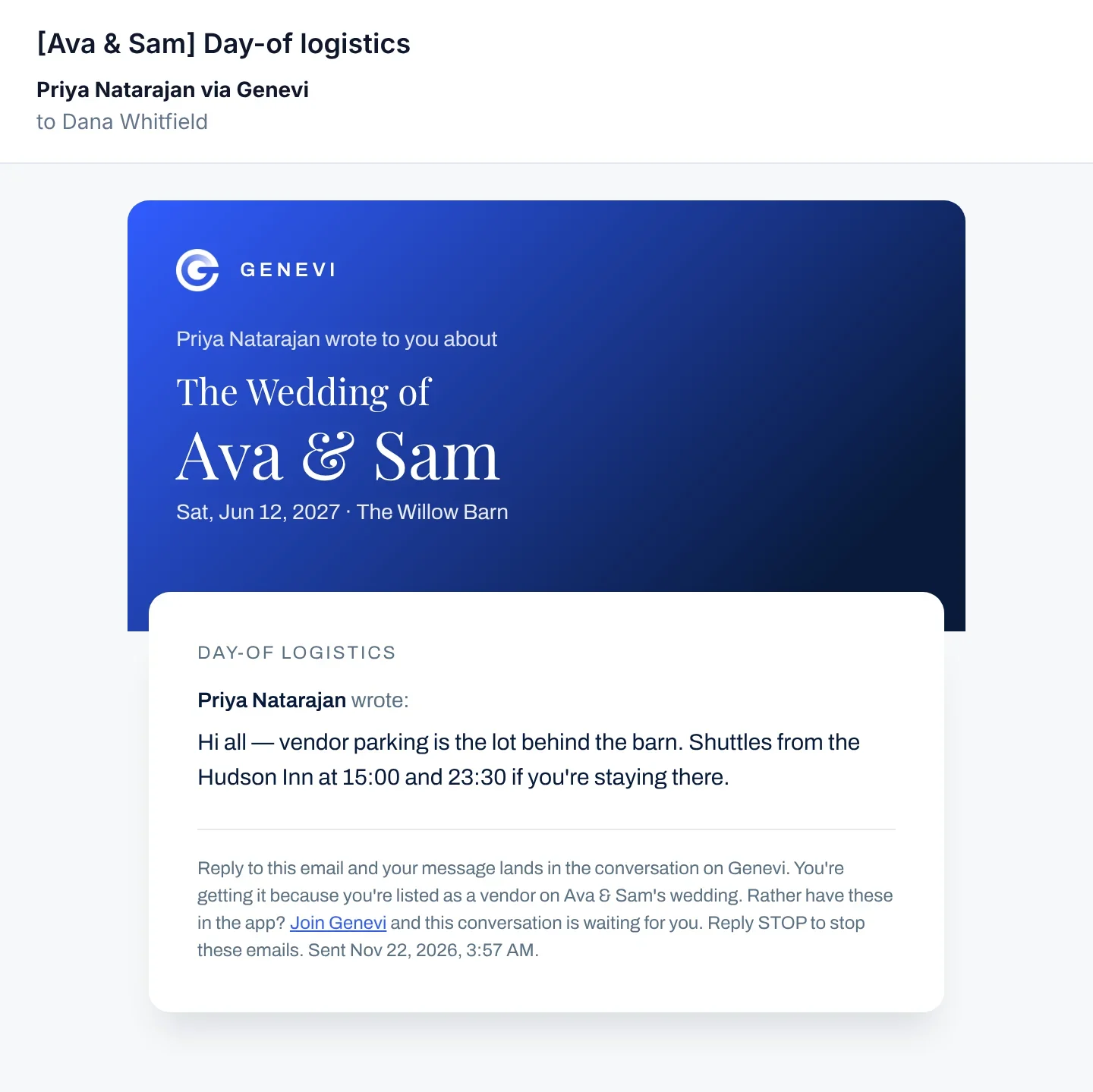
- 3Genevi emails them the message, from your name "via Genevi", with the wedding's name in the subject.
- 4They reply to the email from their usual inbox. Files they attach come through too.
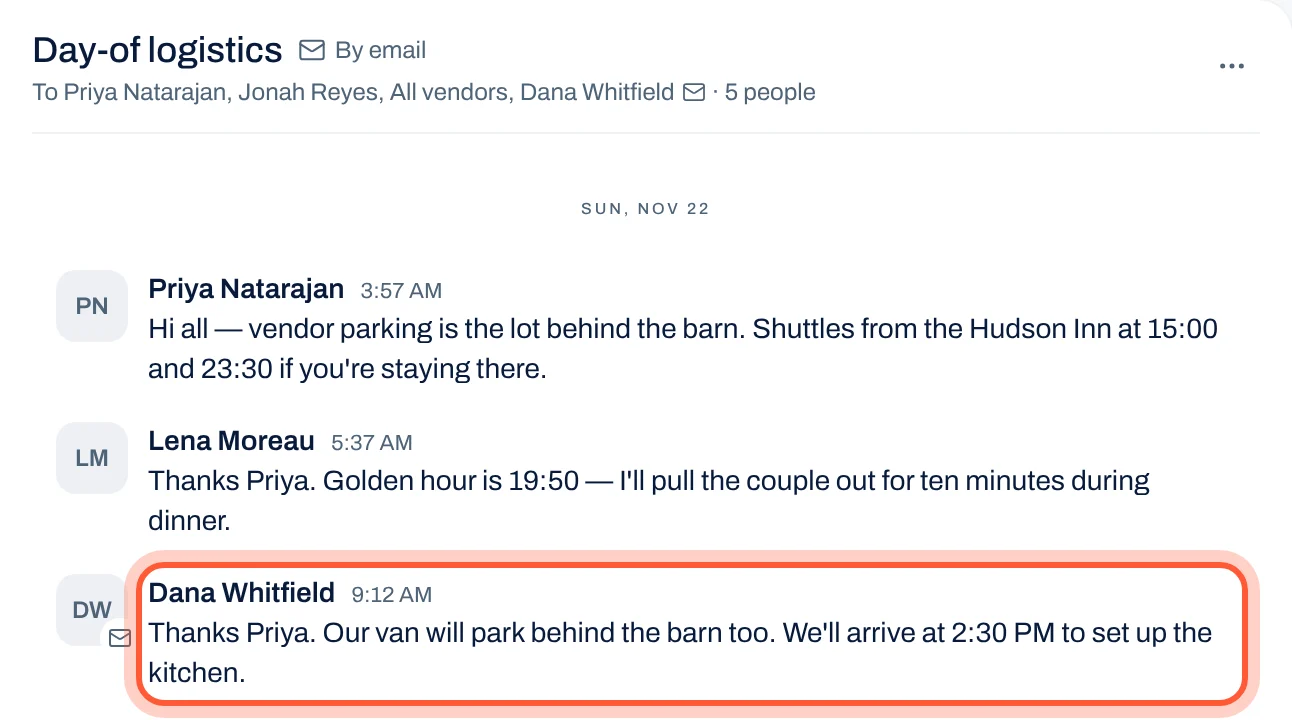
- 5Their reply lands in the conversation under their name, with a small envelope on their picture so you know it came by email.
What it looks like on the Vendors page
The email they get
Their reply, on your side
- They can join any time. Every email has a Join Genevi link, and the conversation is waiting for them when they do.
- They can stop the emails. Replying STOP stops them, and START turns them back on.
This also works for people on Genevi who haven't opened it for two days. They get the same email, and their reply lands in the chat.