
HelpInfo requests, tasks and more
Question
How do tasks work?
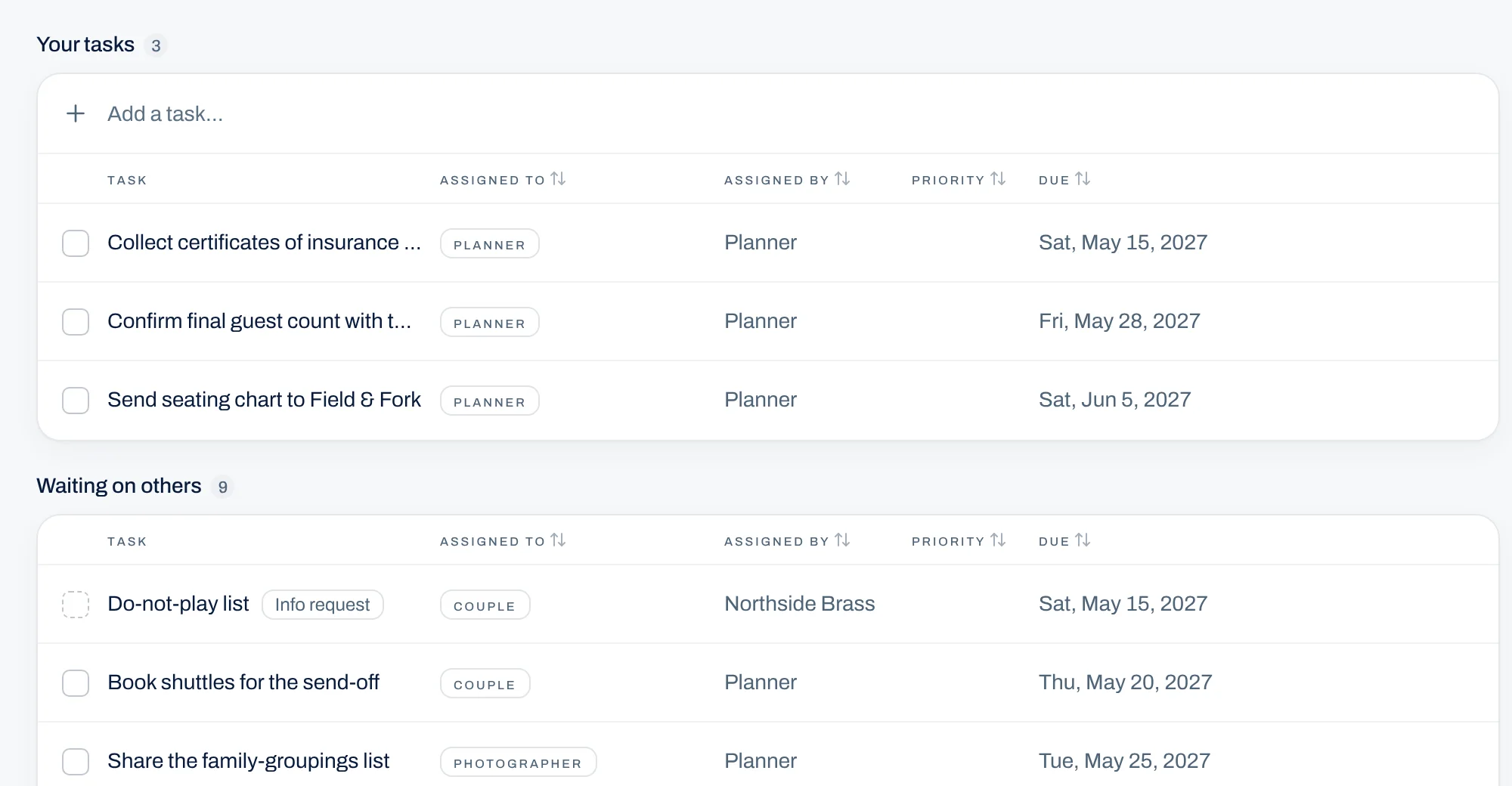
Every job for the wedding in one list, with who's doing it and when it's due. Genevi reminds people, so you don't have to.
Without Genevi
With Genevi
To-dos in your head, a notebook and an email thread
One list for each wedding, and one list across all your weddings
Chasing people to find out if it's done
Genevi reminds them, and you see it checked off
Starting every wedding's to-do list from scratch
Start from a template. Genevi's own comes with 62 tasks for the couple
Everyone sees everything, or nobody sees anything
Choose who can see each task
How it works
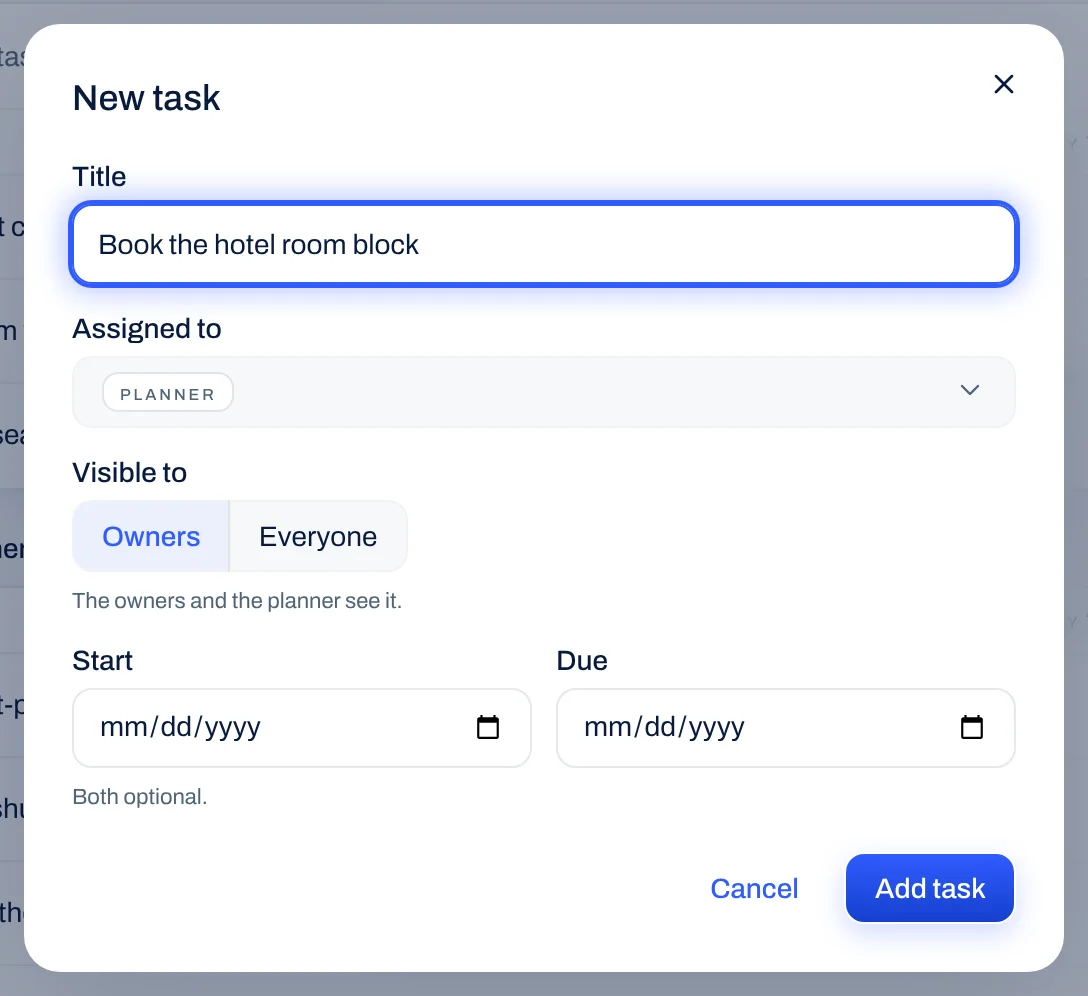
- 1Add a task. Give it a name, choose who it's assigned to, and add a start and due date if you like.
- 2Choose who can see it. Owners means only the people it's assigned to and the planner. Everyone means the whole wedding.
- 3It lands in their list. On the wedding's Tasks page under Your tasks, and on Tasks in the main menu, across every wedding.
- 4Genevi reminds them. Three days before it's due, on the day, and the day after.
- 5They check it off. You see it move to done. Tasks you're waiting on stay under Waiting on others until then.
Where tasks come from
- You add them, on the wedding's Tasks page.
- An info request gives each person asked a matching task.
- A message can become a task with Make a task.
- A template brings its tasks with it when you start a wedding.