
HelpInfo requests, tasks and more
Question
Can I change several tasks at once, or mark some as a priority?
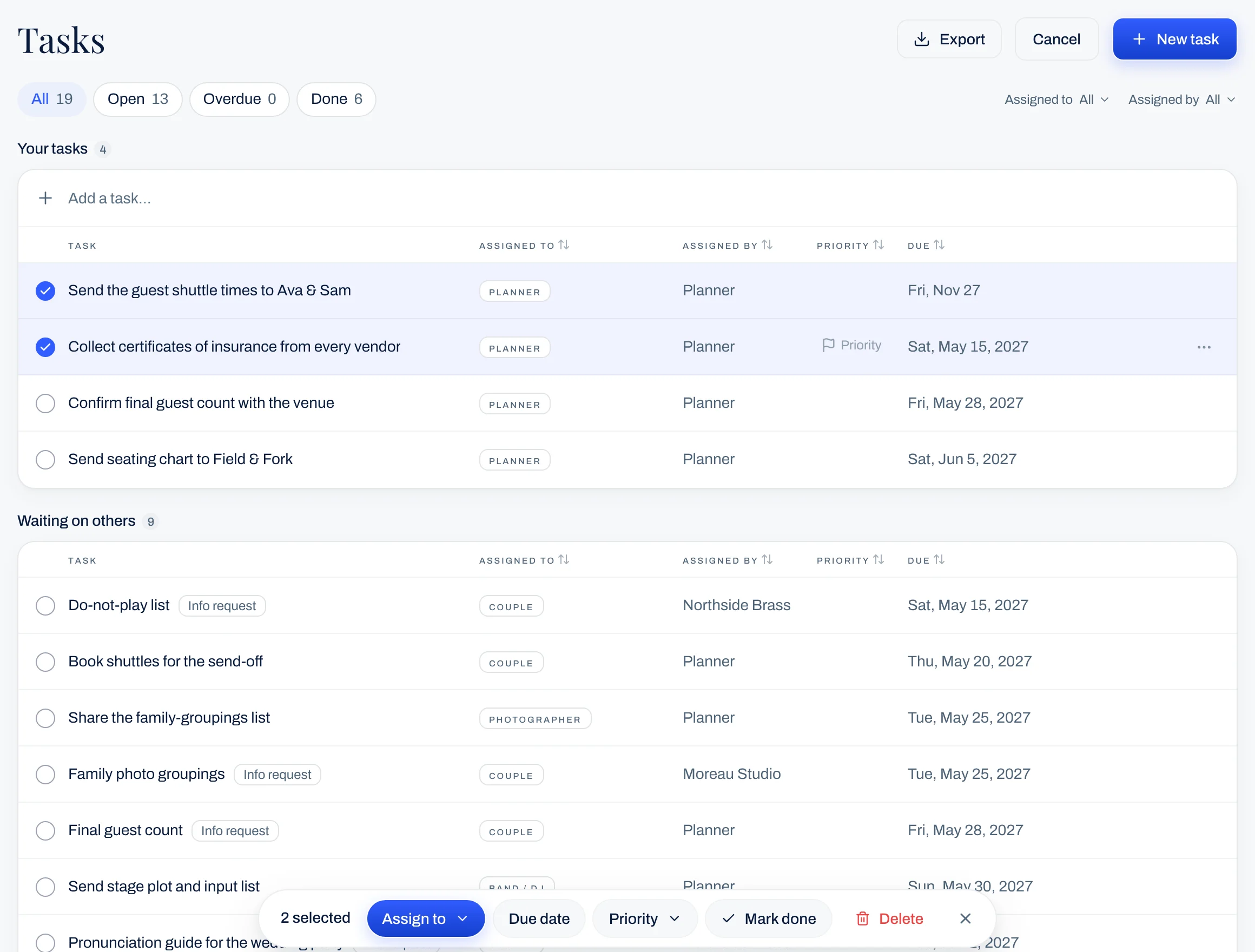
Yes. Choose Select, pick the tasks, and assign them, give them a due date or a priority, check them off or delete them, all at once.
Without Genevi
With Genevi
Opening twenty tasks one by one to move their due dates
Select them and change them together
Urgent jobs lost among everything else
Flag a task as a priority, and show priorities first
- 1Choose Select at the top of the wedding's Tasks page.
- 2Pick the tasks with the circle next to each one.
- 3Choose what to change in the bar at the bottom: Assign to, Due date, Priority, Mark done or Delete. Choose X to stop selecting.
Priorities
Flag a task as High or Low priority from its Priority column, or for several at once from the bar. Turn on High priority first to bring flagged tasks to the top of each list.