
HelpInfo requests, tasks and more
Question
Someone asked me to do something in a message. How do I keep track of it?
Turn the message into a task. Choose Make a task on it, and the request lands on your task list with a due date, linked back to the message it came from.
Without Genevi
With Genevi
A request in a message is forgotten once it scrolls away
It becomes a task in a few seconds, linked back to the message
Writing it on a sticky note or in another app
It sits on your task list with everything else for that wedding
Scrolling back to find what exactly they asked
Open the message on the task takes you straight to it
How it goes
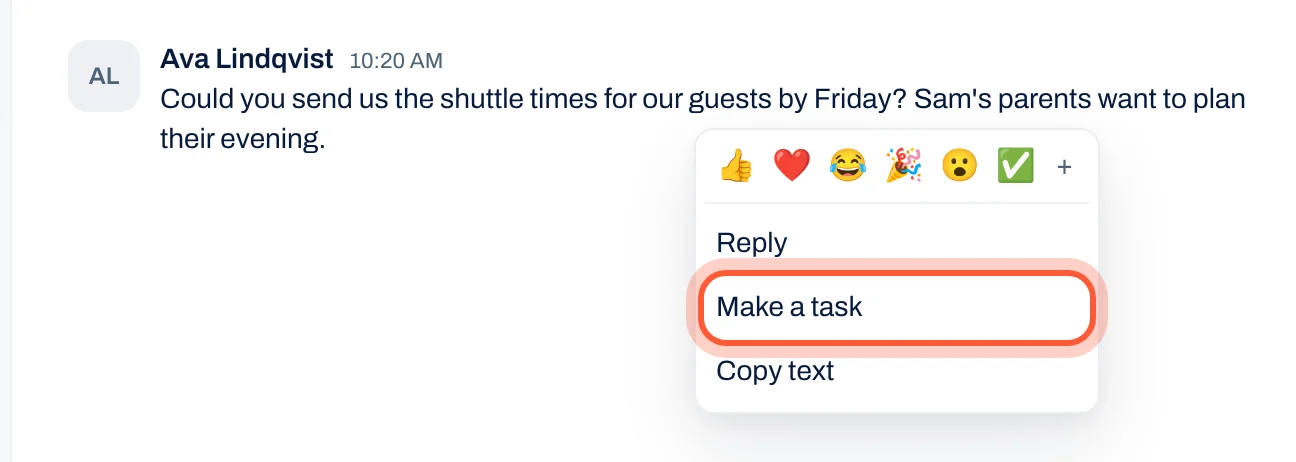
- 1Open the menu on the message. Right-click it on a computer, or press and hold it on a phone, then choose Make a task.
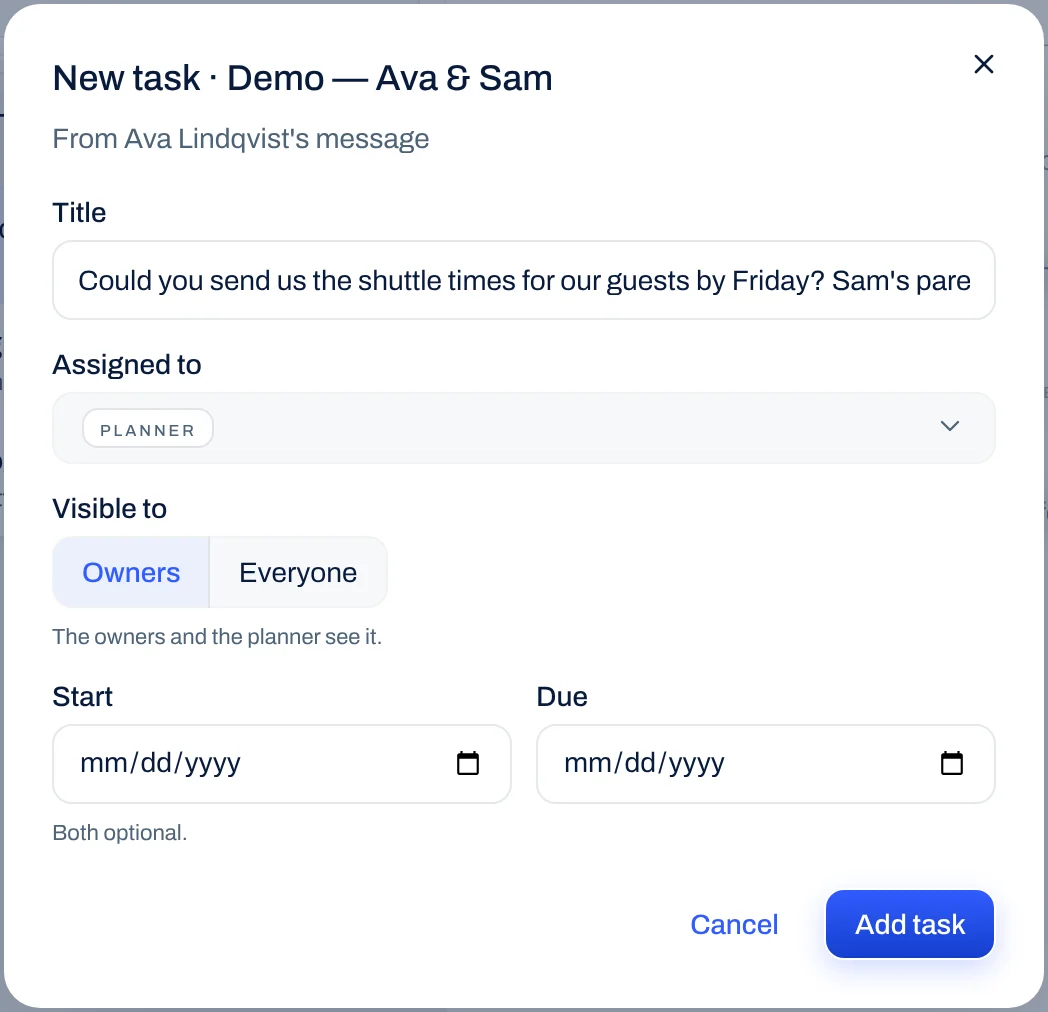
- 2The task form opens, already filled in. The title is the message's text, and the top of the form says whose message it came from.
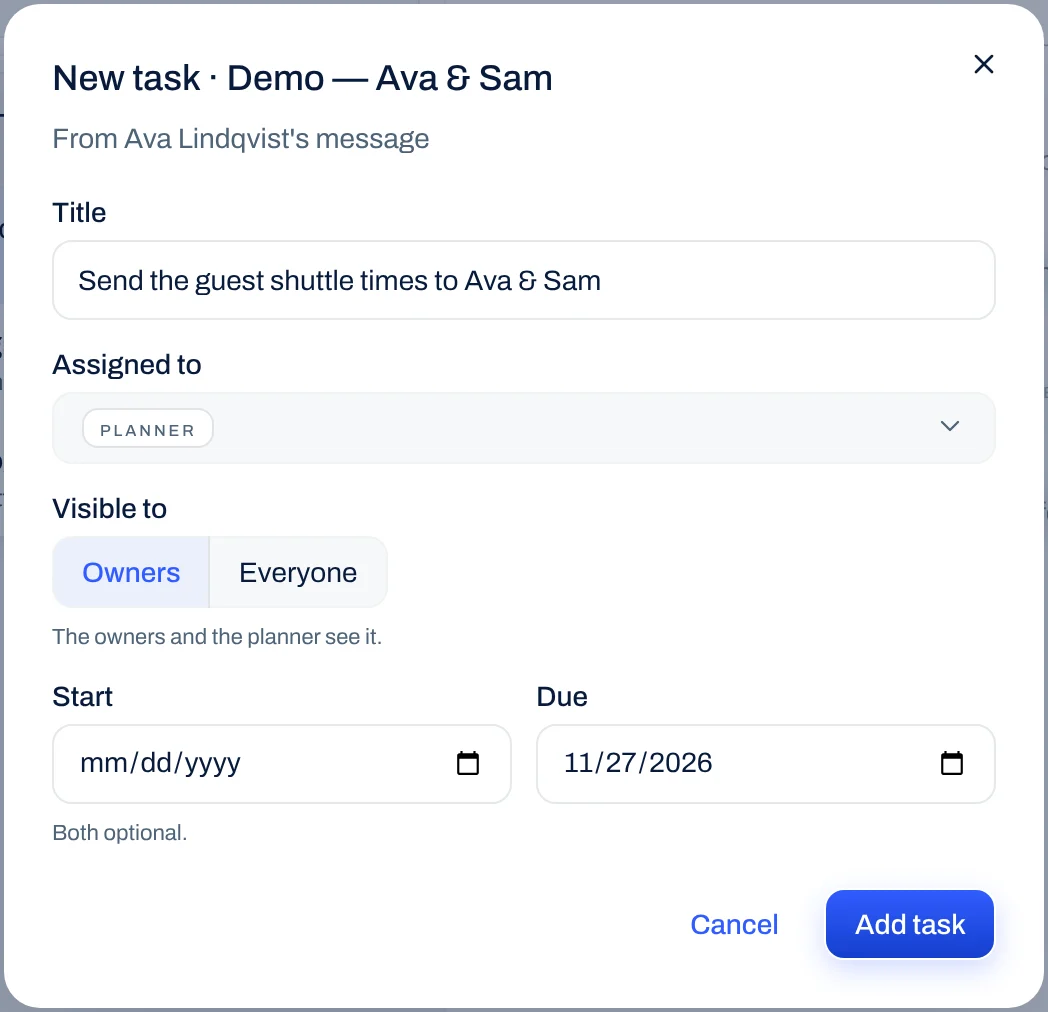
- 3Tidy it up. Shorten the title, choose who it's for under Assigned to, who can see it, and a due date if it has one.
- 4Choose Add task. It's on the wedding's Tasks page, and on Tasks in the main menu for whoever it's assigned to.
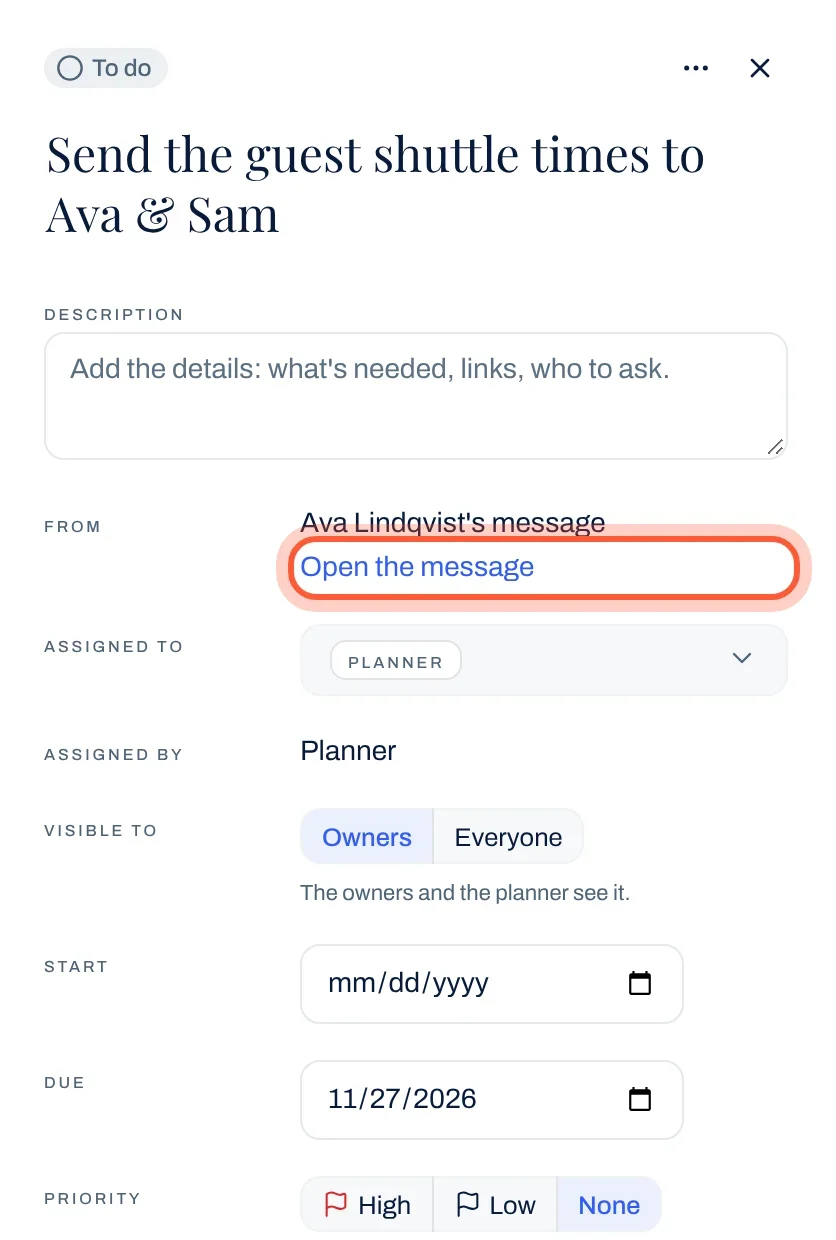
- 5Open it any time to see From, with Open the message to jump back to the conversation.
1. Make a task from the message
2. The task form, as it opens
3. Tidied up and ready to add
4. The task, linked to the message
Genevi reminds whoever it's assigned to before the due date, on the day, and the day after if it's still open.