
HelpInfo requests, tasks and more
Question
How do documents work?
Every file for the wedding is kept in one place, and you choose who sees each one.
Without Genevi
With Genevi
Contracts and floor plans buried in email attachments
Every file kept with the wedding, and easy to search
Sending the new floor plan to each vendor, again
Upload it once, and everyone you chose sees it straight away
A caterer's insurance certificate forwarded to everyone
Choose who can see each file
Old versions still going around
Upload the new version over the old one
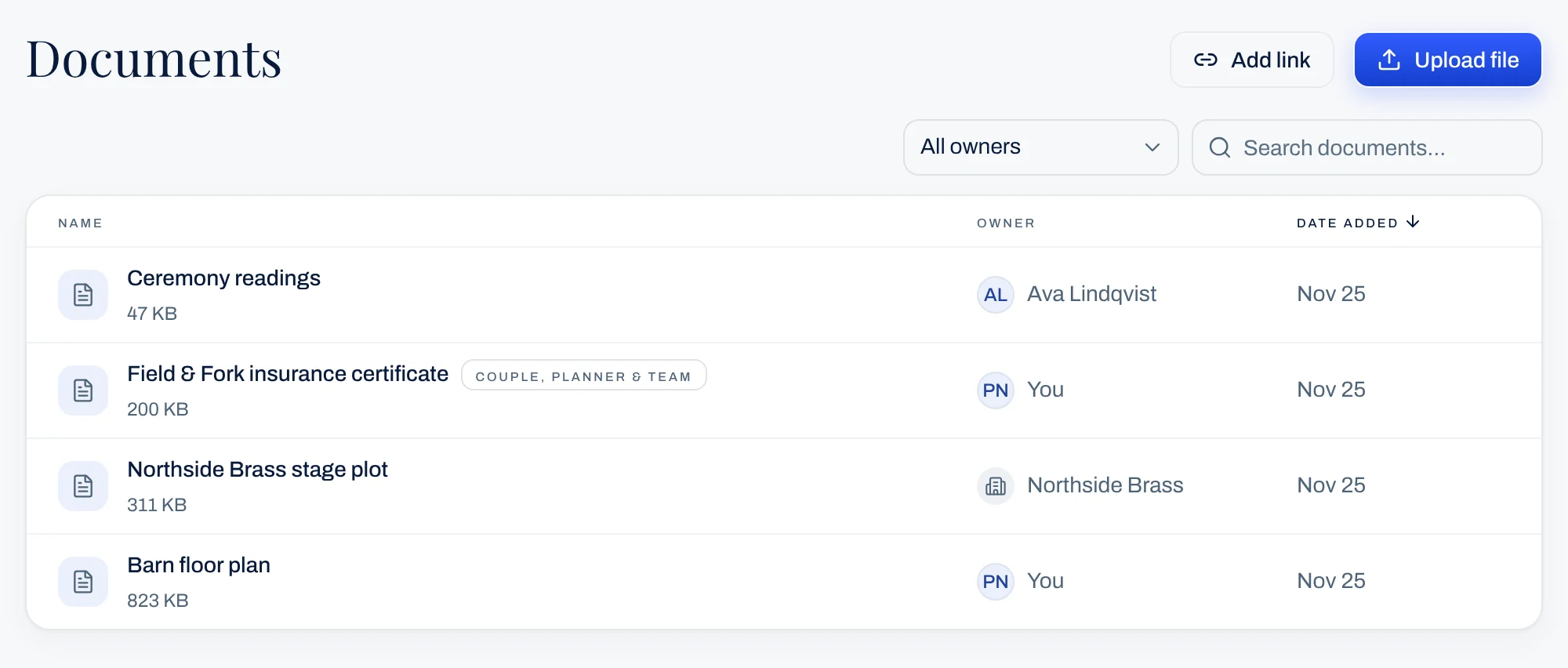
Who can see a file
| You choose | Who sees it |
|---|---|
| Everyone on this wedding | The couple, the planner and every vendor, including vendors added later |
| Couple & planner | Only the couple and the planner |
| Selected vendors | The couple, the planner and the vendors you pick |
| My team only | Only your own team. Vendors see this choice |
- Everyone on this wedding
- Who sees it: The couple, the planner and every vendor, including vendors added later
- Couple & planner
- Who sees it: Only the couple and the planner
- Selected vendors
- Who sees it: The couple, the planner and the vendors you pick
- My team only
- Who sees it: Only your own team. Vendors see this choice
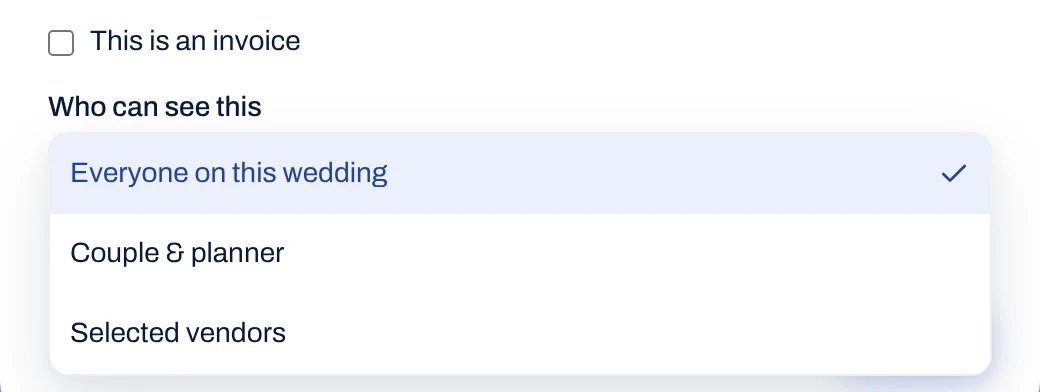
Whoever uploads a file can always see it, and can change who else does later.
Where files come from
- Uploaded on the Documents page, or added as a link, such as a Google Doc.
- Sent in a chat. A file shared in a wedding's messages is saved to Documents too, for the people in that chat.
- Added to a task or an info request answer. These follow who can see that task or request.
- Invoices. Select This is an invoice when you upload a bill, and Genevi reads the amounts into the Budget, which only the couple and the planner see.
See a locked file in a chat? It's been kept to fewer people in Documents, and you're not one of them.