
HelpInfo requests, tasks and more
Question
How do messages work?
Every conversation about a wedding stays with that wedding, so the right people see it and nothing gets lost in someone's inbox.
Without Genevi
With Genevi
Texts, group chats and email threads for every wedding
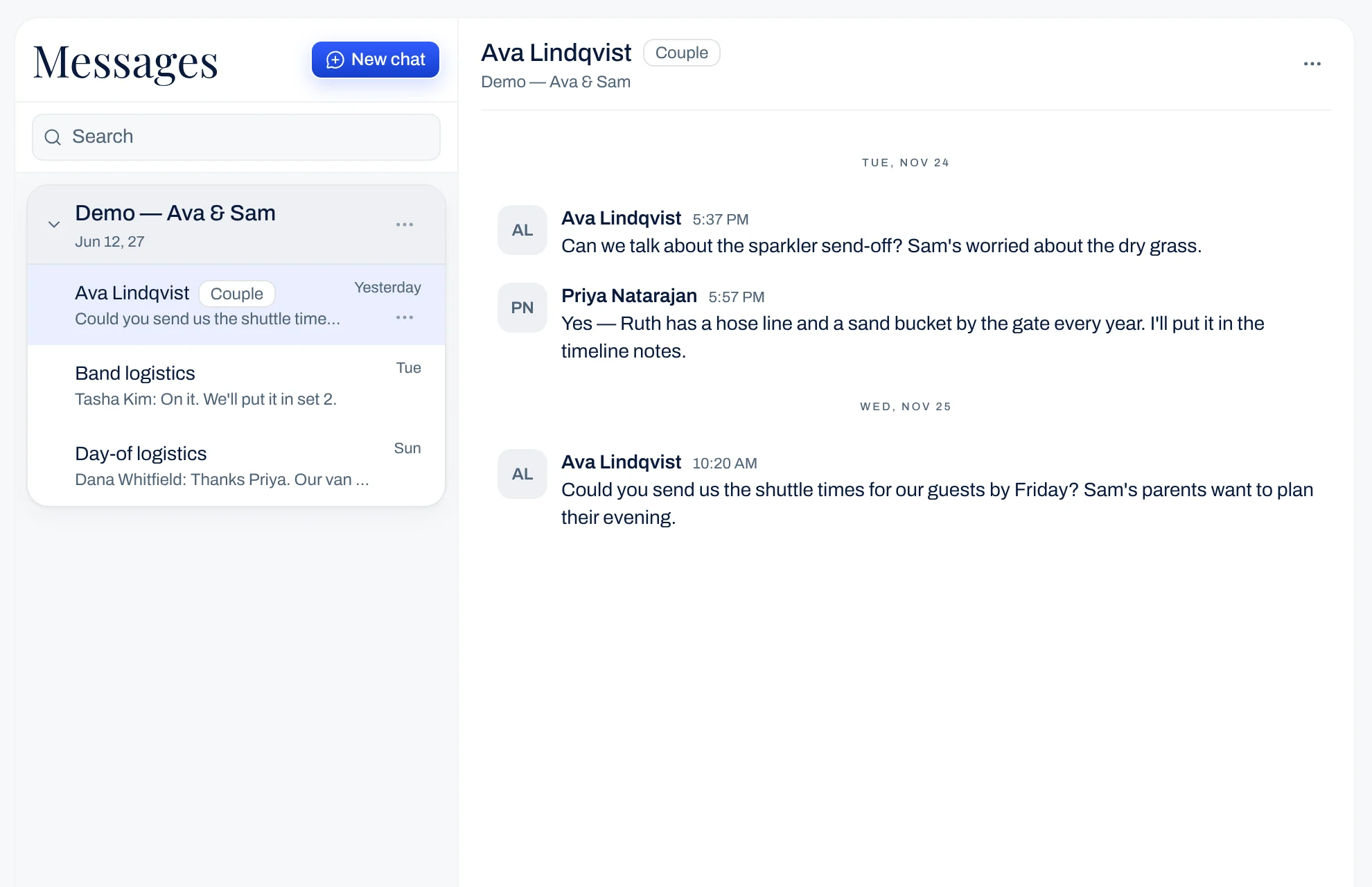
One Messages page, grouped by wedding
Adding someone to a group means forwarding the whole history
Add people and choose whether they see the earlier messages
A request in a text that nobody writes down
Turn any message into a task in two clicks
Vendors who aren't on the app miss the group chat
Vendors not on Genevi get the messages by email, and their replies come back to the chat
How it works
- 1Open Messages in a wedding's menu. Planners and vendors also have All messages, with every wedding's chats in one list.
- 2Choose New chat and pick who's in it: one person, a few, or All vendors.
- 3Point at a message to react, Reply, Make a task or Copy text.
- 4Attach a file and it's saved to the wedding's Documents too, for the people in the chat.
Managing a chat
Choose ... at the top right of a chat.
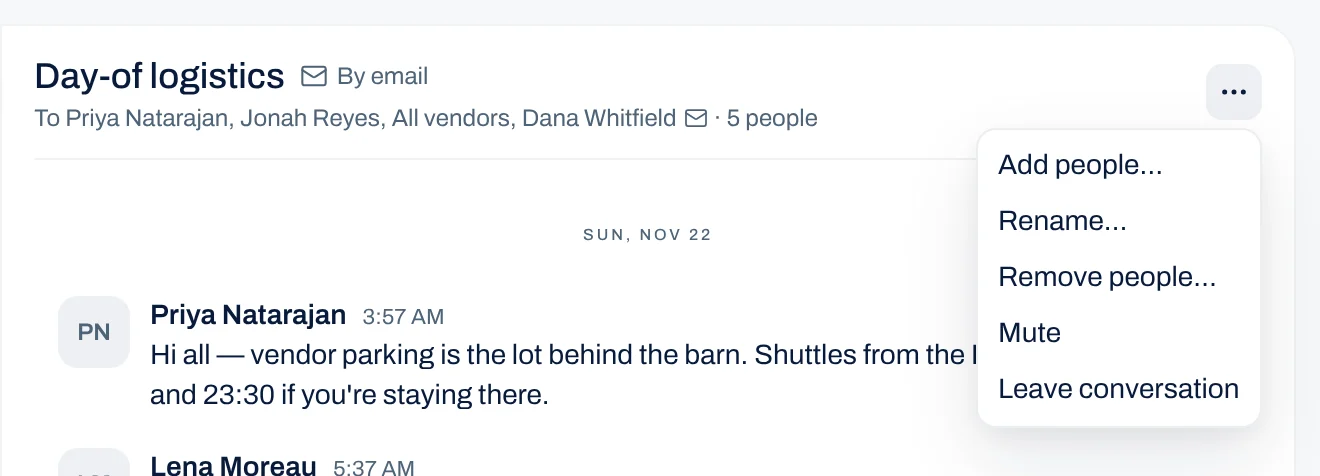
- Add people. Choose whether they see the earlier messages, or only new ones from now on.
- Rename a group chat, or Remove people from it.
- Mute a chat you don't need alerts for. It stays in your list.
- Leave conversation when you no longer need it.
Someone asked me to do something in a message. How do I keep track of it? →