HelpInfo requests, tasks and more
Question
How will I know when something changes?
Genevi tells you when something needs you, in the way that suits you.
Without Genevi
With Genevi
Finding out about a change on the day
You're told when something that affects you changes
Every update buried in one long group chat
The bell, your phone, or one daily email, as you choose
- The bell at the top of every page lists what's new.
- Phone notifications, from the Genevi app.
- A daily overview email, at the hour you choose, only on days with something new.
Choose what you get, and how, in Settings, Notifications.
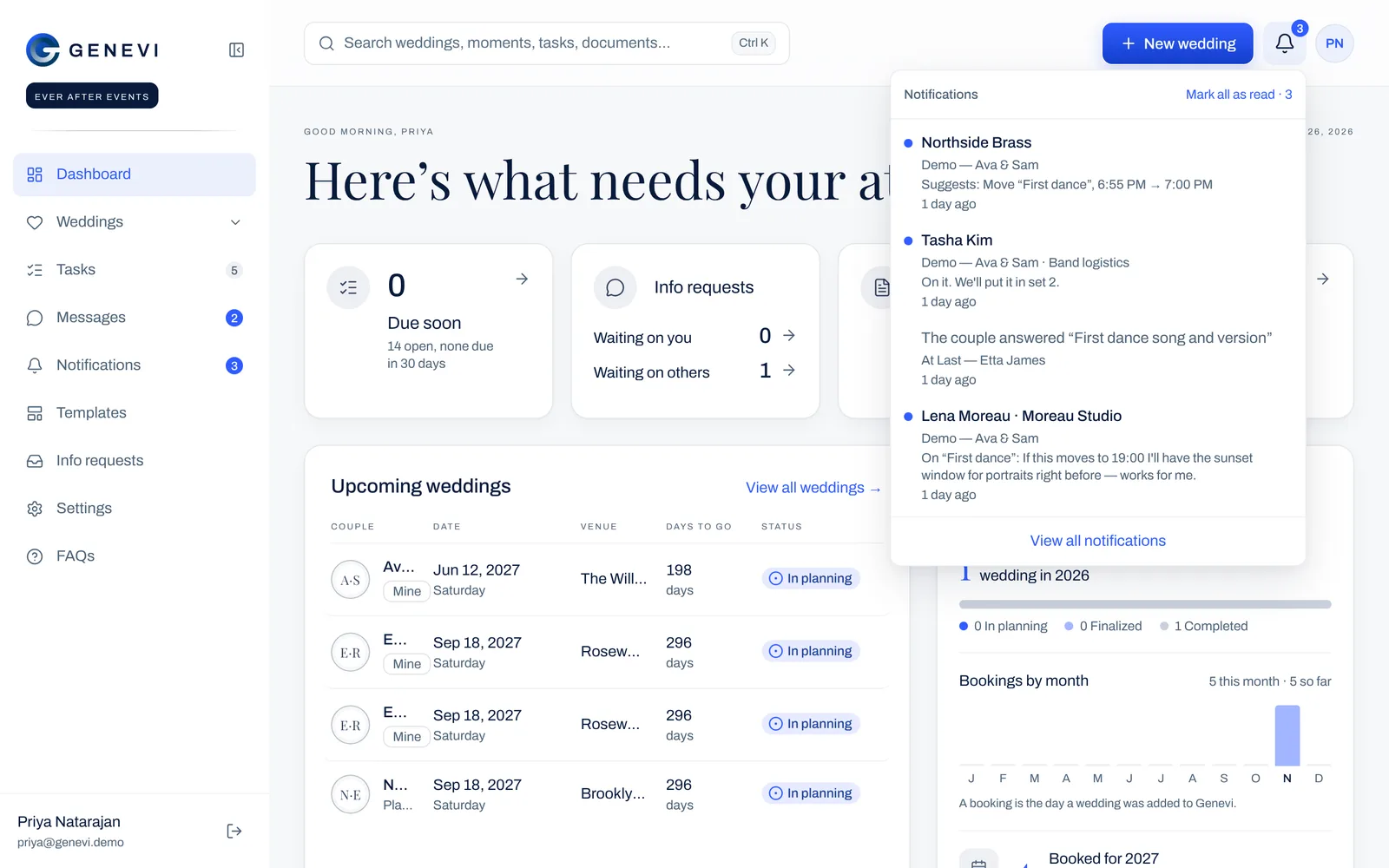
Your Notifications page
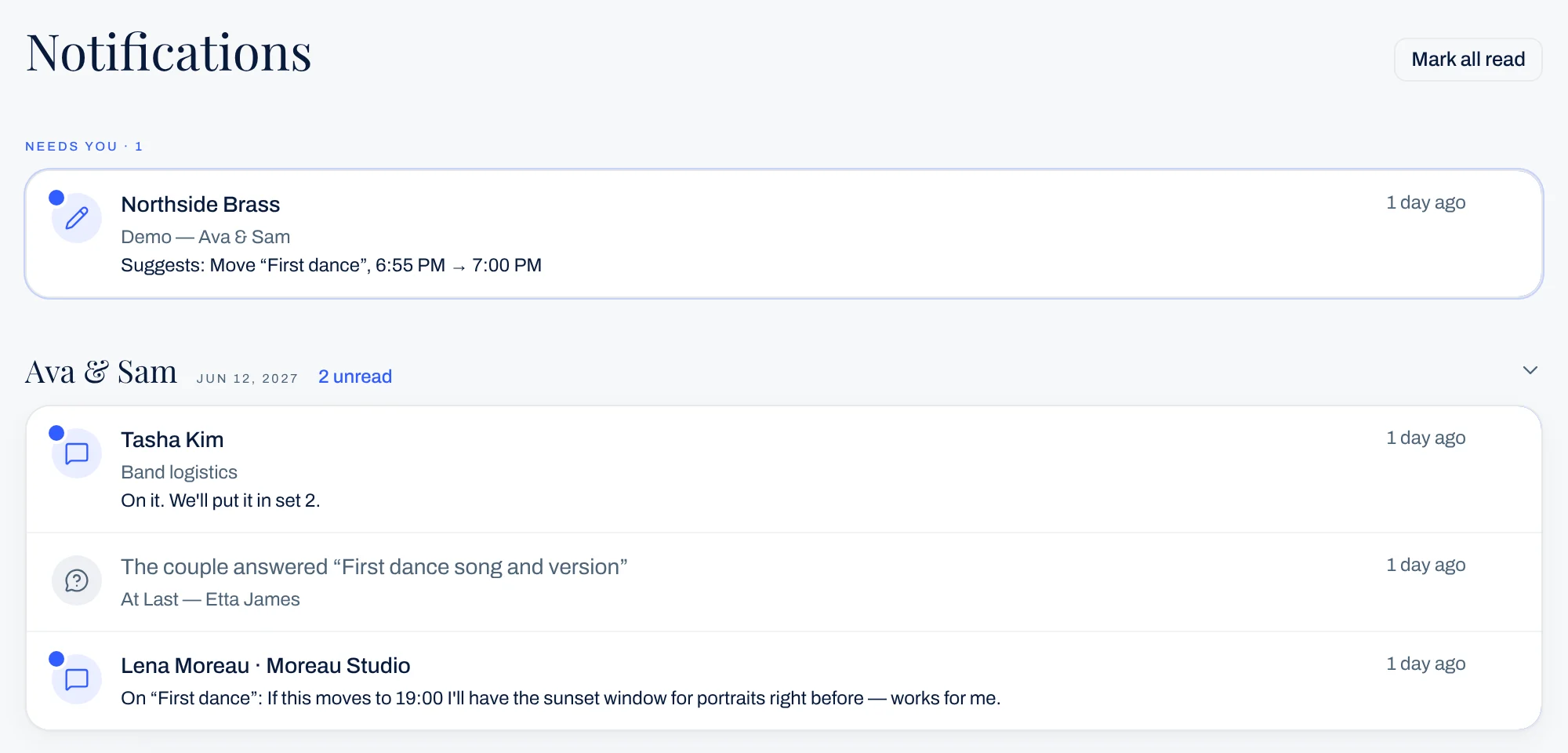
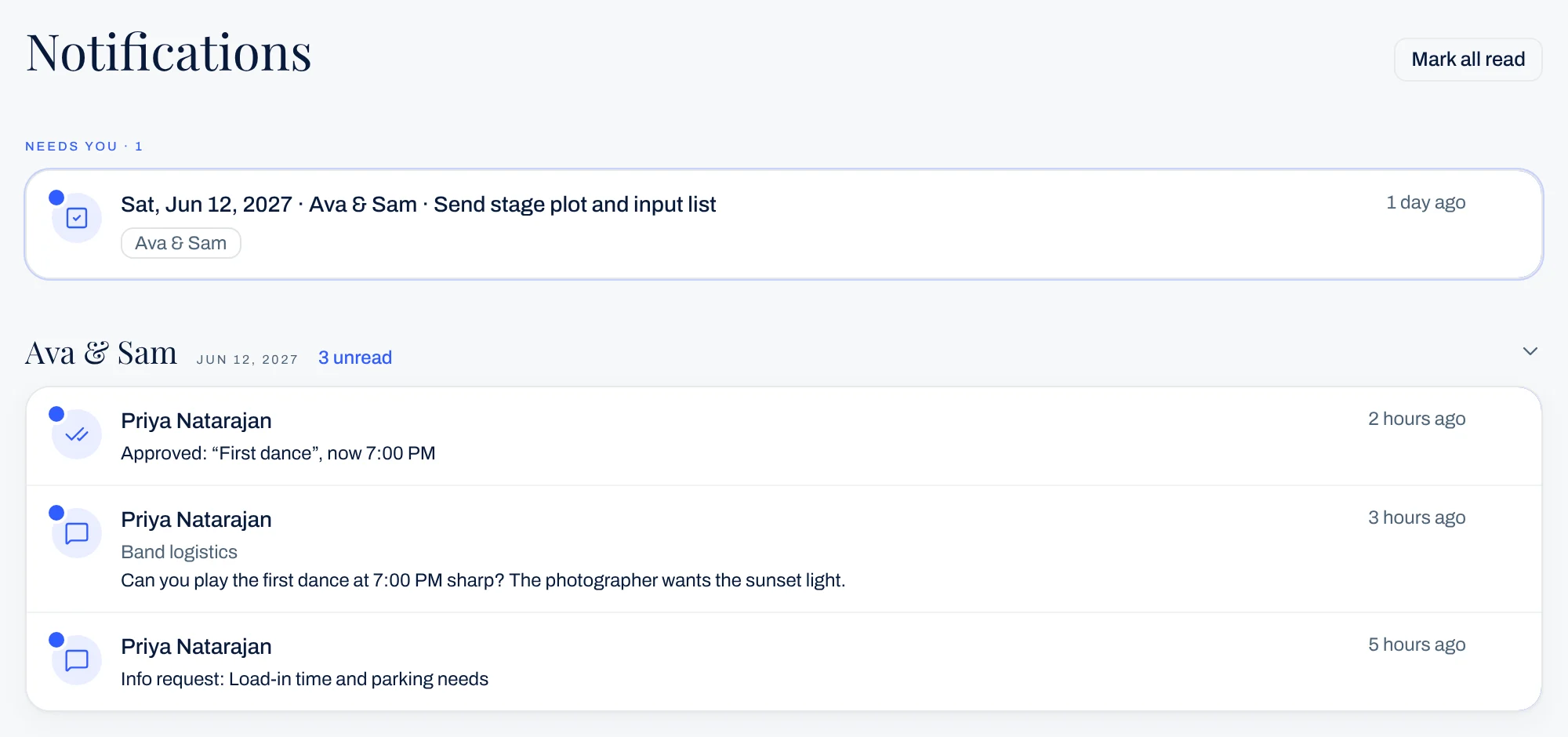
Choose Notifications in the main menu to see everything, across all your weddings. Needs you sits at the top: things that wait on you, such as a suggestion to review or a task given to you. Everything else is grouped by wedding, newest first, with a blue dot on what you haven't read.