
Question
What's on a wedding's Vendors page?
Everyone working on the wedding, how to reach them, and whether they've joined Genevi yet, all on one page.
Without Genevi
With Genevi
Vendor contacts spread across emails, texts and a spreadsheet
Every vendor's lead contact, phone and email on one page
Not knowing who has seen the latest plan
Each vendor shows whether they've joined, been invited or aren't on Genevi
Forwarding the same update to each vendor in turn
Message all vendors reaches every one of them at once
What's on it
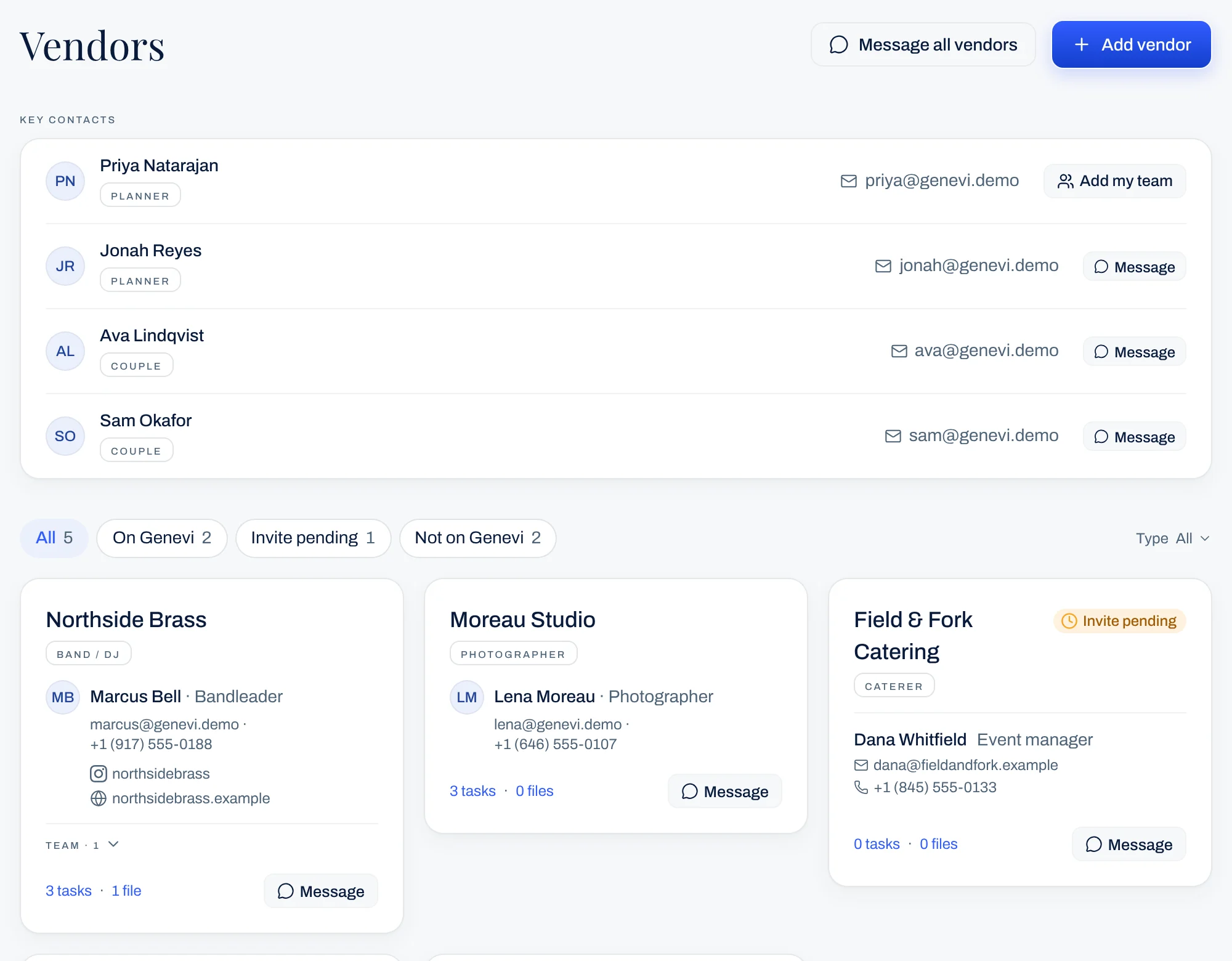
- Key contacts at the top: the planners and the couple, each with a Message button.
- A card for each vendor: what they do, their lead contact's phone and email, their links, and how many tasks and files they have on this wedding.
- Where each vendor stands. No label means they've joined. Invite pending means they haven't accepted yet. Not on Genevi means they were added without an invite, and your messages reach them by email.
- Filters along the top, to show only one of those groups or one type of vendor.
- Message all vendors and Add vendor, at the top right.
Vendors and the couple see this page too, so anyone can find the right person to call on the day.