
Question
What happens when I create a wedding?
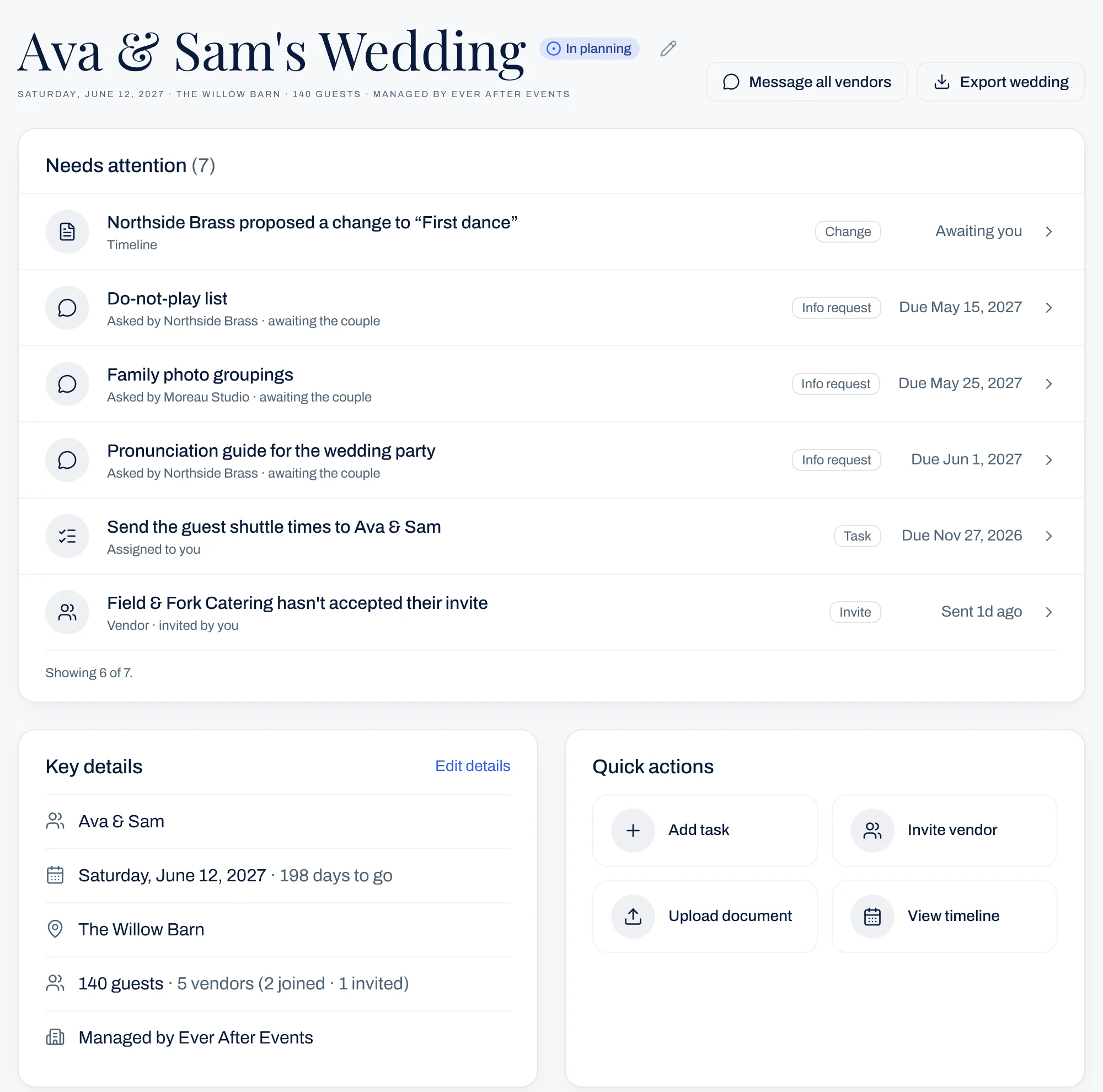
The wedding gets its own place in Genevi: its own Home, Timeline, Tasks, Vendors, Budget, Documents and Messages. Nobody else sees it until you invite them.
Without Genevi
With Genevi
A new folder, spreadsheet and email thread for every wedding
One wedding holds the plan, the people and the paperwork
Copying last year's run of show and fixing it by hand
Start from a template, or import the timeline you already have
Sending a new version to everyone after every change
Everyone you invite sees the latest plan as it changes
What the wedding comes with
- Home: what needs your attention, the key details, quick actions and recent activity.
- Timeline: the day itself, moment by moment.
- Info requests and Tasks: what you're asking people for, and what needs doing.
- Vendors: everyone working on the wedding and how to reach them.
- Budget: what's quoted, paid and still to pay. Only the couple and the planner see it.
- Documents and Messages: the files and the conversations, kept with the wedding.
- Settings: who's on the wedding and what each person can do.
What happens next
- 1Choose how the day starts. Start empty, start from a template, or import a timeline you already have.
- 2Invite people. The couple, your vendors, your team and, if the couple likes, family and friends.
- 3Work on it together. Changes show for everyone at once, and Genevi reminds people about what they owe you.
To change the date, venue or guest count later, choose Edit details on the wedding's Home page.