
Question
What does tagging a vendor on a moment do?
It decides which moments each vendor sees first. When a vendor opens the timeline, it shows only the moments they're tagged on.
Full day
Everyone can see all 24 moments
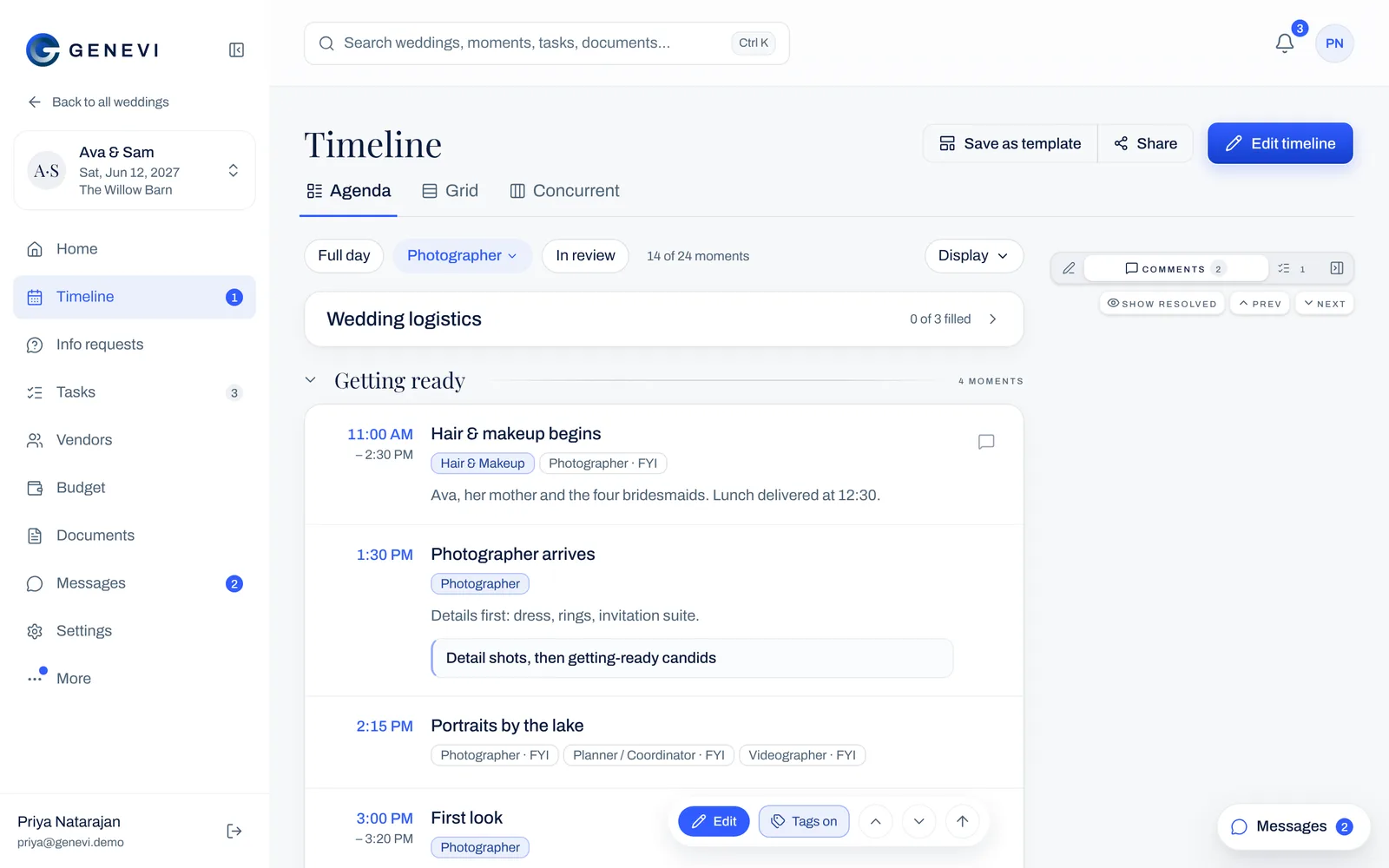
The photographer's view
Only the 14 moments they're tagged on
11:00 AMHair & makeup beginsHair & MakeupPhotographer · FYI
11:00 AMHair & makeup beginsPhotographer · FYI
1:30 PMPhotographer arrivesPhotographer
1:30 PMPhotographer arrivesPhotographer
2:15 PMPortraits by the lakePhotographer · FYIVideographer · FYI
2:15 PMPortraits by the lakePhotographer · FYI
3:00 PMFirst lookPhotographer
3:00 PMFirst lookPhotographer
3:30 PMBand load-in and sound checkBand / DJVenue · FYI
4:30 PMGuests arriveVenueCeremony Musicians · FYI
5:00 PMProcessionalCeremony MusiciansPhotographer
5:00 PMProcessionalPhotographer
5:10 PMCeremonyOfficiantPhotographer
5:10 PMCeremonyPhotographer
5:40 PMRecessionalCeremony Musicians
5:45 PMCocktail hourCatererBar Service
5:50 PMFamily portraitsPhotographer
5:50 PMFamily portraitsPhotographer
6:30 PMRoom flip and seating openVenueCaterer · FYI
Owner
- The moment is theirs to run
- It shows on their timeline, in blue
FYI
- They should know about it, but someone else runs it
- It shows on their timeline too, marked FYI
What each vendor sees
- 1They open the Timeline. It opens on their own view: the moments they're tagged on, plus any moment with a cue for them.
- 2Moments they're not tagged on stay out of the way, so they see their part of the day at a glance.
- 3They can still see everything. Choosing Full day shows the whole timeline.
Check what a vendor sees
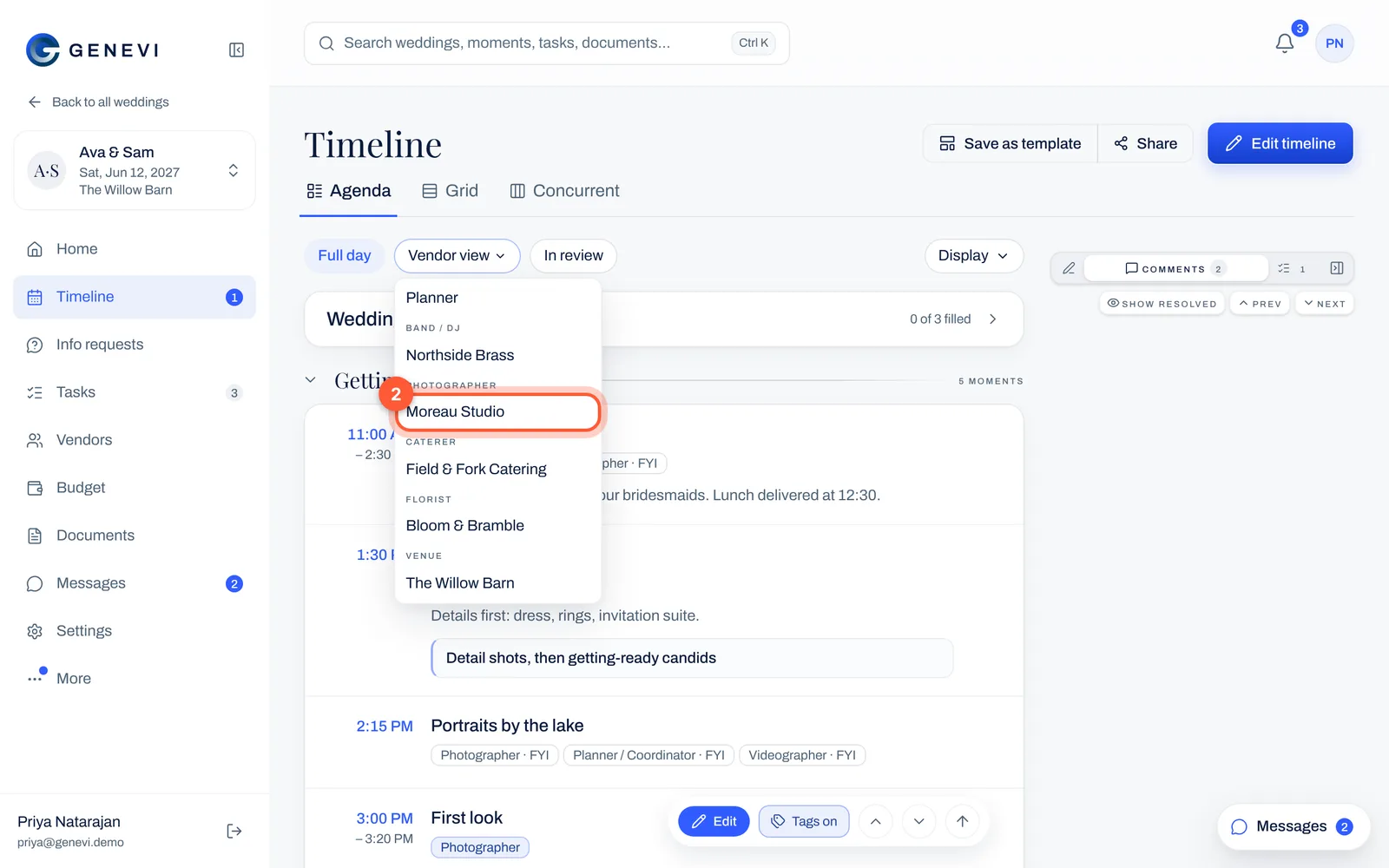
Planners and couples can see the day through any vendor's eyes. On the Timeline, choose Vendor view, then pick the vendor.
Tags are for vendor types, such as Photographer or Band / DJ, so everyone on that vendor's team sees the same moments.