
HelpTemplates, your team and ownership
Question
How do I save a wedding's timeline as a template?
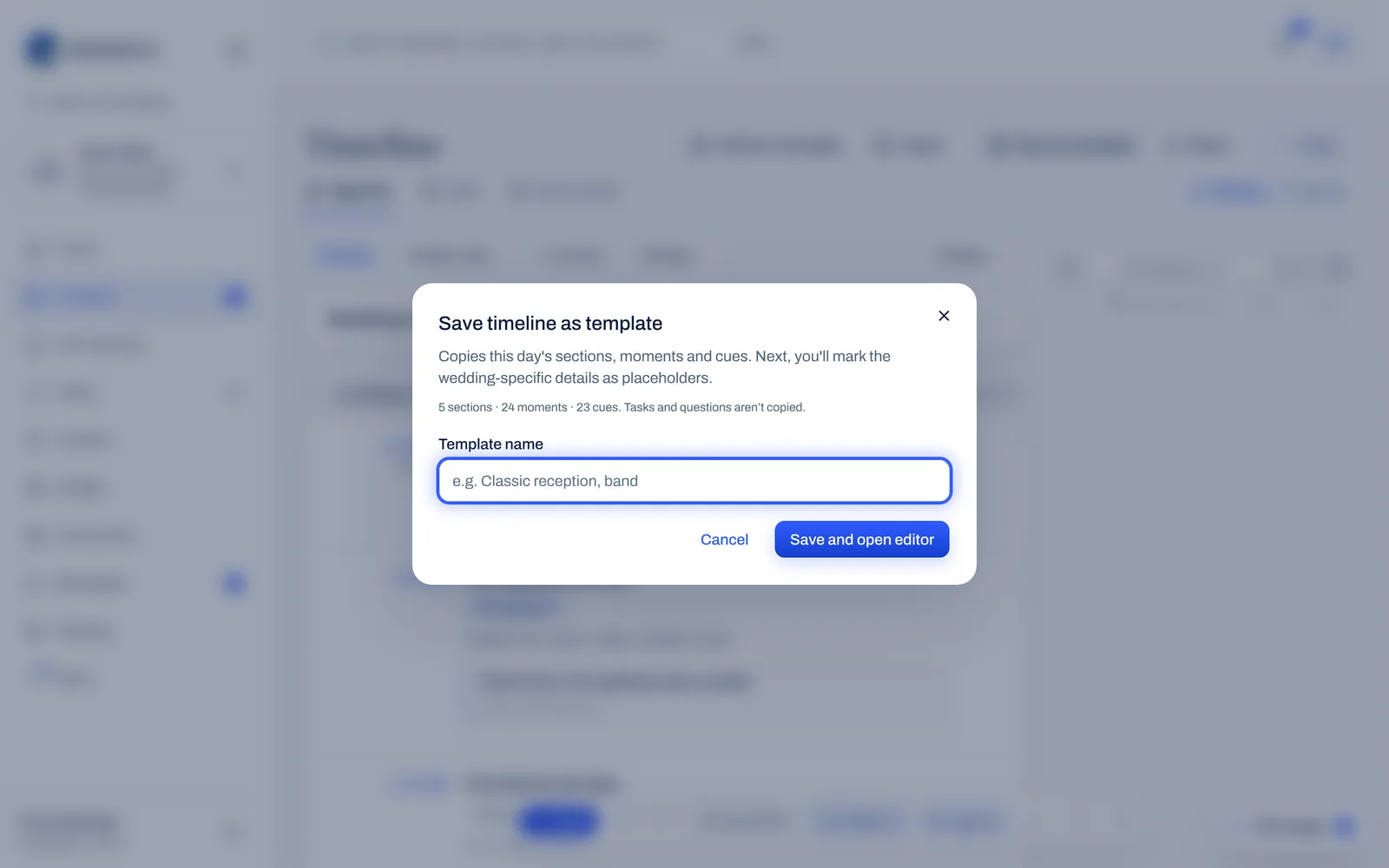
On the Timeline, choose Save as template, give it a name, and it appears on your Templates page for every future wedding.
Without Genevi
With Genevi
Copying last month's spreadsheet and deleting the old details
Save a finished timeline as a template in one step
Your best version lives in someone's downloads folder
It's on your Templates page, ready for every future wedding
How to save one
- 1Open the wedding's Timeline and choose Save as template.
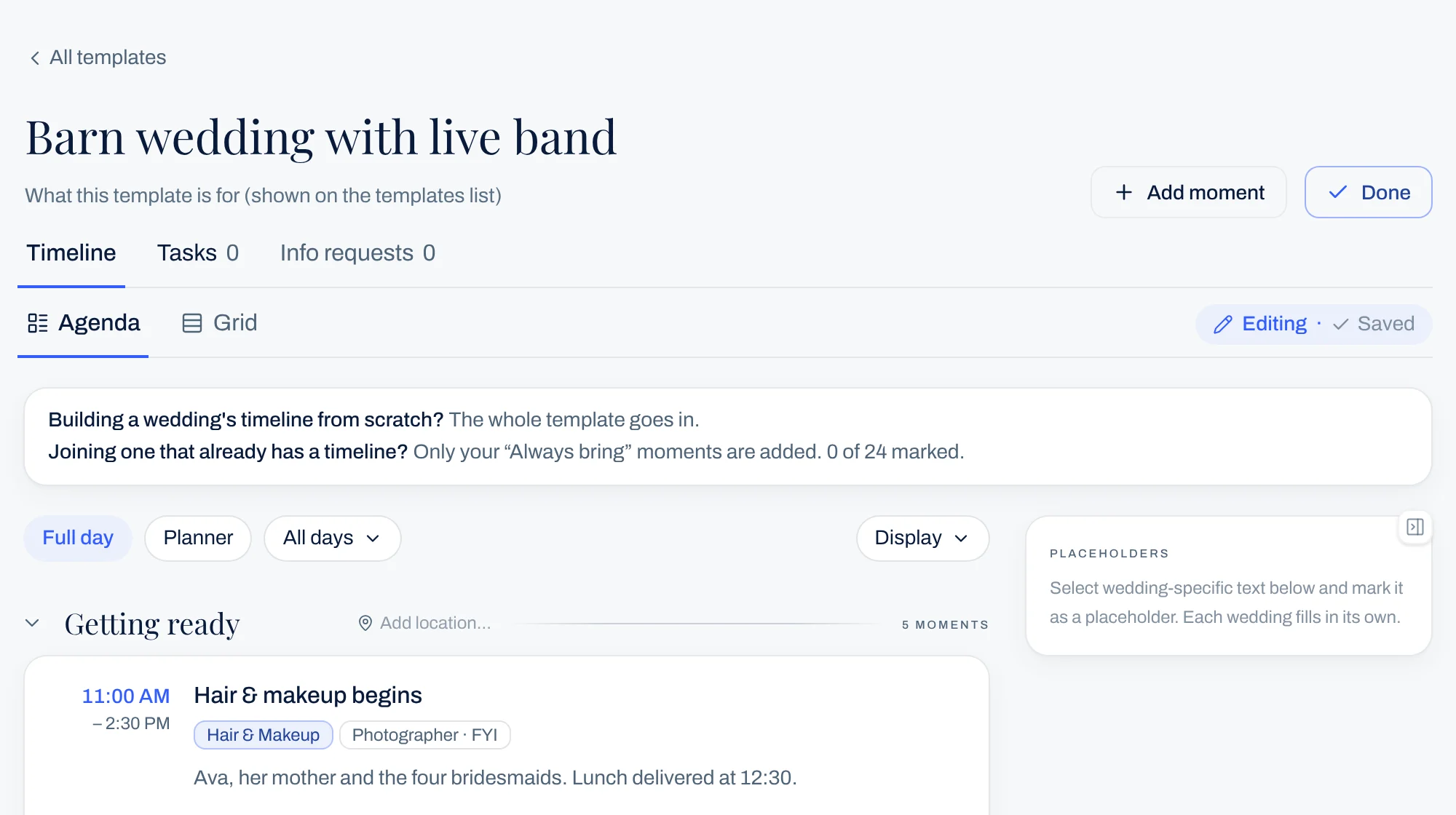
- 2Give it a name, like "Barn wedding with live band", and choose Save and open editor. Genevi copies the day's sections, moments and cues. The wedding's own tasks and info requests stay behind.
- 3Mark the wedding-specific details as blanks. Select text like a song or a location and mark it as a placeholder. Each new wedding fills in its own.
- 4Add tasks and info requests on the template's Tasks and Info requests tabs, if you want every wedding to start with them.
- 5Choose Done. It's on your Templates page, ready for the next wedding.
Only the owner or an admin of your business can save templates.