
HelpTemplates, your team and ownership
Question
Can I hand a wedding over to someone else, or leave it?
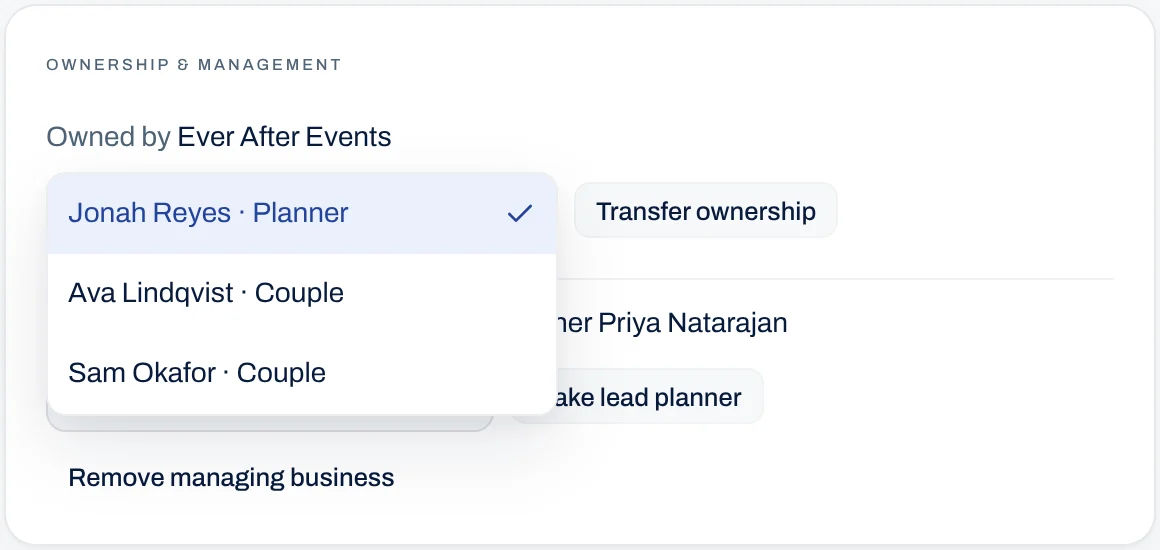
Yes. Every wedding has an owner, and the owner can pass it to the couple or a planner on the wedding for free. Open the wedding's Settings and use Ownership & management.
Without Genevi
With Genevi
What "owner" means
- The owner is whose wedding it is: the couple's own account, or a business such as a planning company. It shows at the top of the card as Owned by.
- The managing business is the planning company running the wedding, and the lead planner is the planner from that company who leads it. Genevi sets both when a planner from a business joins.
- Who started it. When a vendor set the wedding up, the card says Started by that vendor.
Only the owner can transfer the wedding. For a couple's own wedding, that's the couple. For a business, it's the business's owner or an admin.
Transfer ownership
- 1Open the wedding's Settings and scroll to Ownership & management.
- 2Choose who takes it over from the list next to Transfer ownership. You can pick anyone in the couple, or a planner on the wedding.
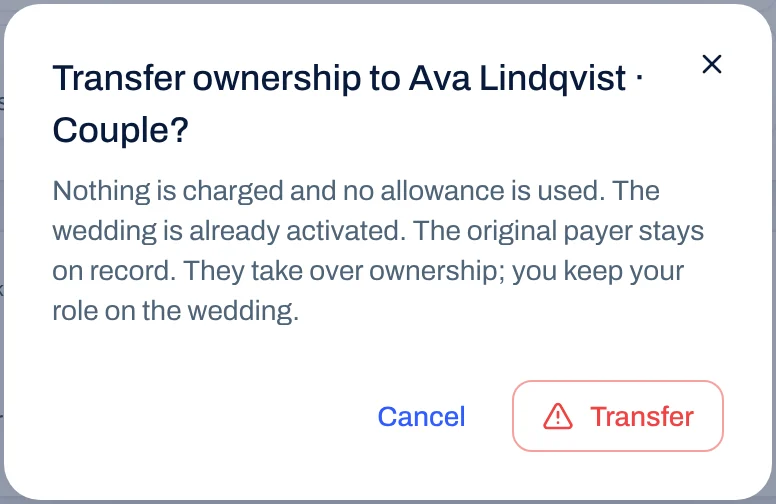
- 3Choose Transfer ownership, then Transfer to confirm.
- 4It's done. If they're part of a business, the wedding goes to that business. Otherwise it goes to their own account. You keep your role on the wedding.
When the owner changes by itself
- A vendor started the wedding and invited the couple: when the couple accepts, the wedding becomes theirs.
- A planner started the wedding: the couple accepting changes nothing. The planner's business stays the owner until it transfers the wedding.
Change the lead planner
The owner or an admin of the managing business picks another of their planners and chooses Make lead planner. The planner has to be on the wedding first: add them from Settings, My Team.
Remove a planning business
The owner can choose Remove managing business. That business's planners lose access to the wedding. Everyone else, and everything in the wedding, stays. You can invite a planner again at any time.
Joined a wedding by mistake?
If your plan includes a set number of managed weddings, a planner from your business can choose Hand it back within 14 days of joining. Your business leaves the wedding and the managed wedding comes back to you.