
HelpTemplates, your team and ownership
Question
Can I delete a wedding?
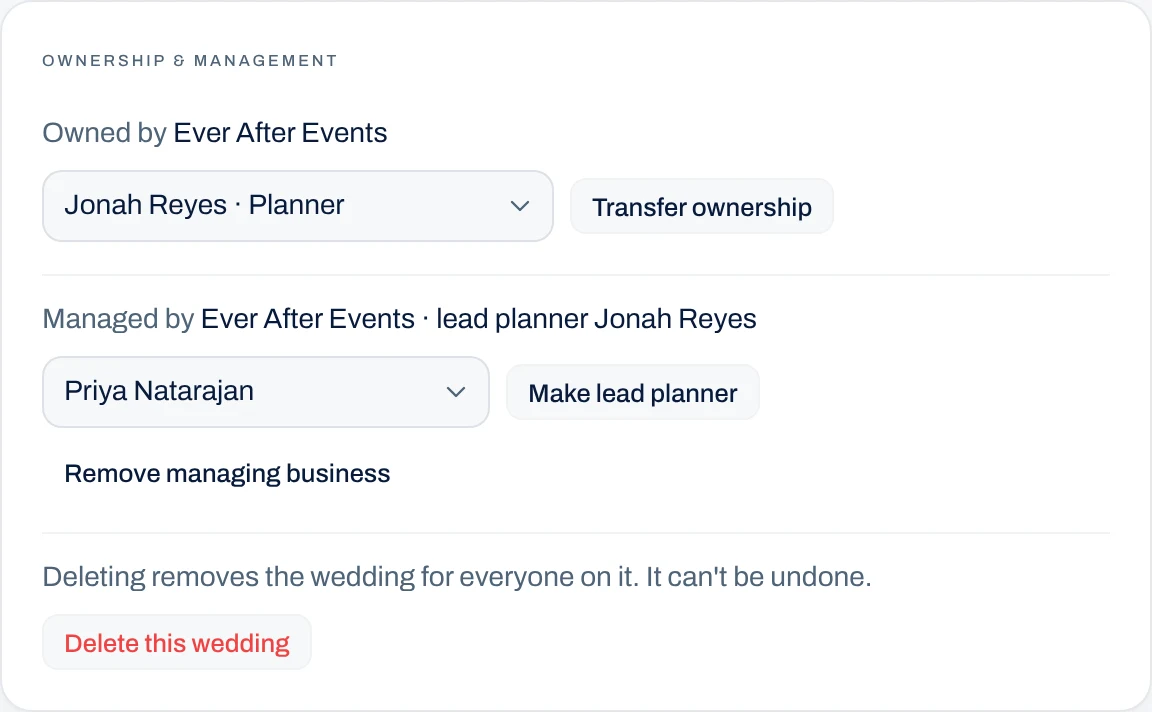
Yes, if you're the wedding's owner. Open the wedding's Settings and choose Delete this wedding under Ownership & management. It's for weddings made by mistake: a test, a duplicate, or a booking that fell through.
Without Genevi
With Genevi
Who can delete a wedding
- A couple's own wedding: either partner. The other partner is told.
- A business's wedding: the business's owner or an admin. Planners and team members can't.
- A wedding a vendor started: the vendor business's owner or an admin, until the couple accepts. After that it's the couple's wedding.
Not the owner? You can't delete the wedding, but you can ask the owner to. To pass the wedding to someone else instead, transfer ownership.
Delete a wedding
- 1Open the wedding's Settings and scroll to Ownership & management.
- 2Choose Delete this wedding.
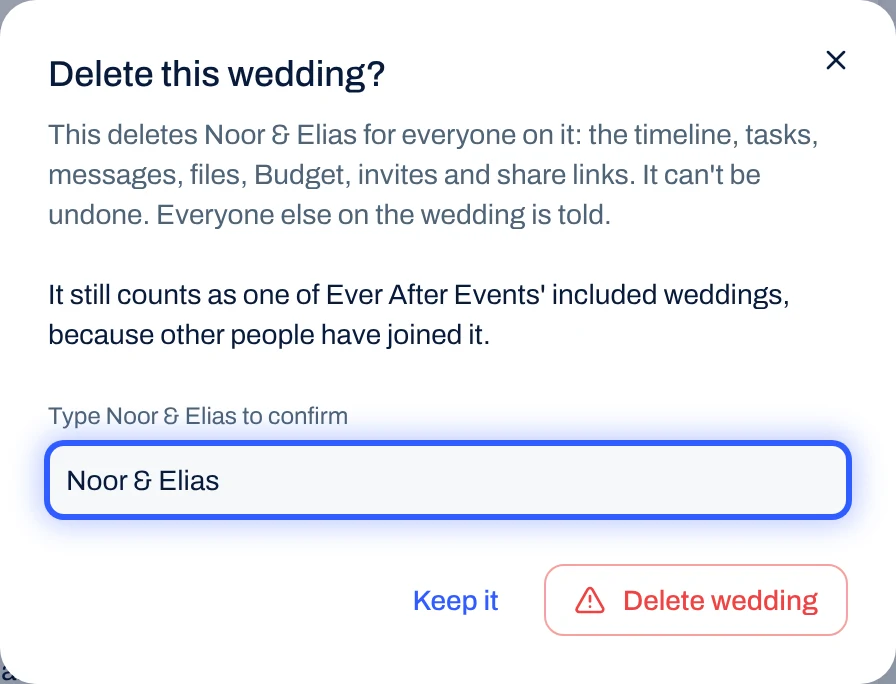
- 3Read what happens. The box says what happens to the wedding you used for it (see below).
- 4Type the couple's names exactly as shown, then choose Delete wedding. You go back to your weddings list.
What gets deleted
Everything in the wedding, for everyone on it: the timeline, tasks, info requests, messages, files, the Budget, invites and share links. It can't be undone. Everyone else on the wedding gets one notification that it was deleted. The wedding also drops out of calendar feeds the next time they refresh.
Do I get my wedding back?
| How the wedding was paid for | After you delete it |
|---|---|
| Never activated | Nothing was used, so there's nothing to give back. |
| One of your plan's included weddings | It comes back only if you delete it within 14 days of activating it, before the wedding date, and before anyone outside your business has joined. Otherwise it still counts. |
| An extra wedding from a pack | It still counts. Pack weddings aren't returned. |
| One Wedding, an extra wedding, or a promo code | No refund, and a promo code isn't returned. |
| A managed wedding your planning business joined | It comes back within 14 days of joining, the same as Hand it back. |
- Never activated
- After you delete it: Nothing was used, so there's nothing to give back.
- One of your plan's included weddings
- After you delete it: It comes back only if you delete it within 14 days of activating it, before the wedding date, and before anyone outside your business has joined. Otherwise it still counts.
- An extra wedding from a pack
- After you delete it: It still counts. Pack weddings aren't returned.
- One Wedding, an extra wedding, or a promo code
- After you delete it: No refund, and a promo code isn't returned.
- A managed wedding your planning business joined
- After you delete it: It comes back within 14 days of joining, the same as Hand it back.
Deleting an imported wedding doesn't give you back an import for the day. The daily limit counts files read, not weddings kept.