
Question
How do I choose which notifications I get?
In Settings, Notifications. For each kind of update, choose how it reaches you: in Genevi, on your phone, in one daily email, or by email straight away.
Without Genevi
With Genevi
An email for every little change
One daily overview email, at the time you choose
Missing the one message that matters
Choose which updates are worth an email straight away
- Daily overview at: the time your one email a day arrives, in your own time zone. Invitations are always sent the moment they happen.
- In-app: shows in Genevi's bell and on your Notifications page. Phone alerts need this on.
- Push to phone: alerts on your phone, if you have the app.
- Email me straight away: an email the moment it happens, instead of waiting for the daily overview.
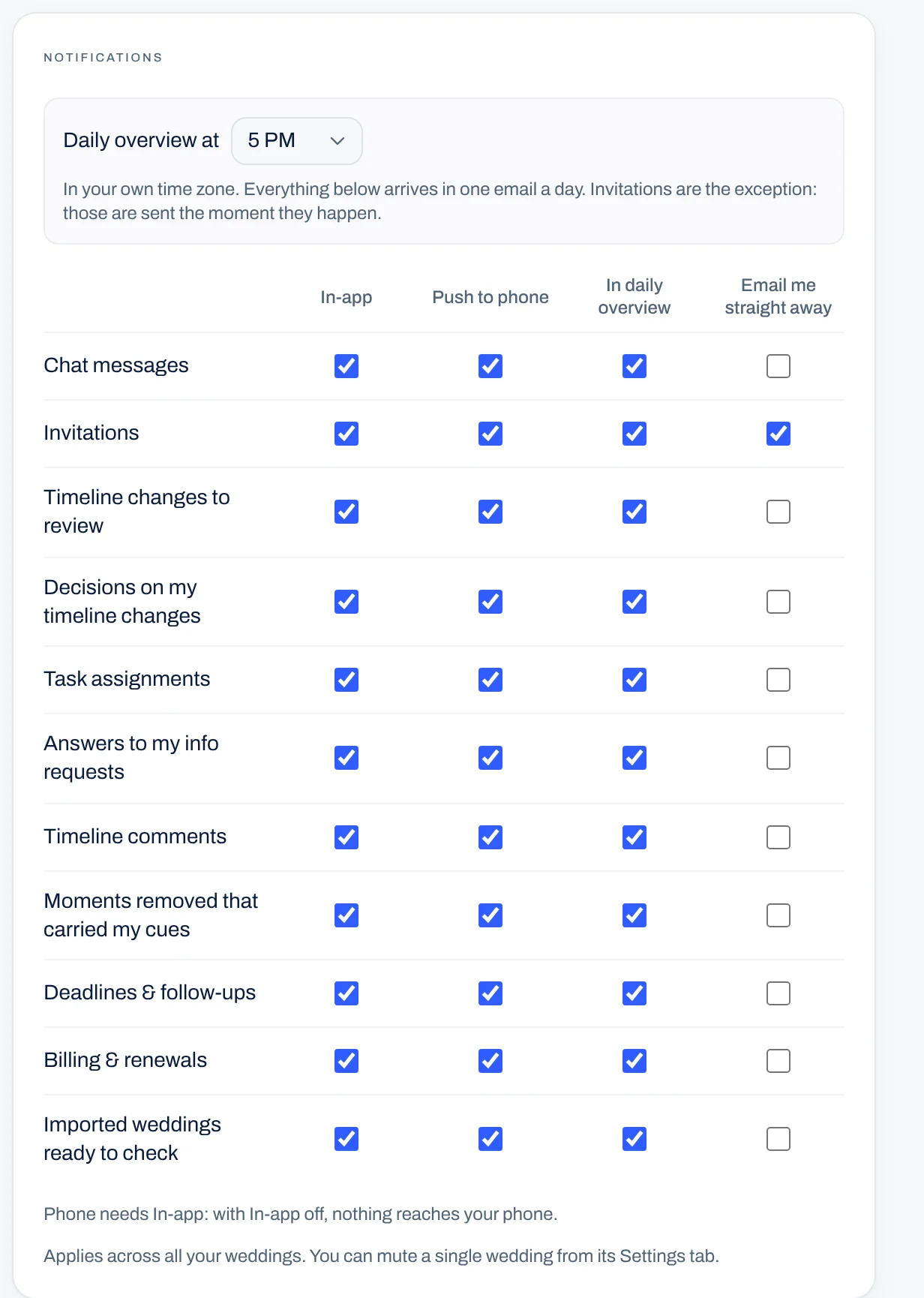
These apply to all your weddings. To quiet just one wedding, open it, choose Settings and mute it.